
base-pause-nav-fullframe-card-v1
A base template for pause ads, with optional metadata overlay
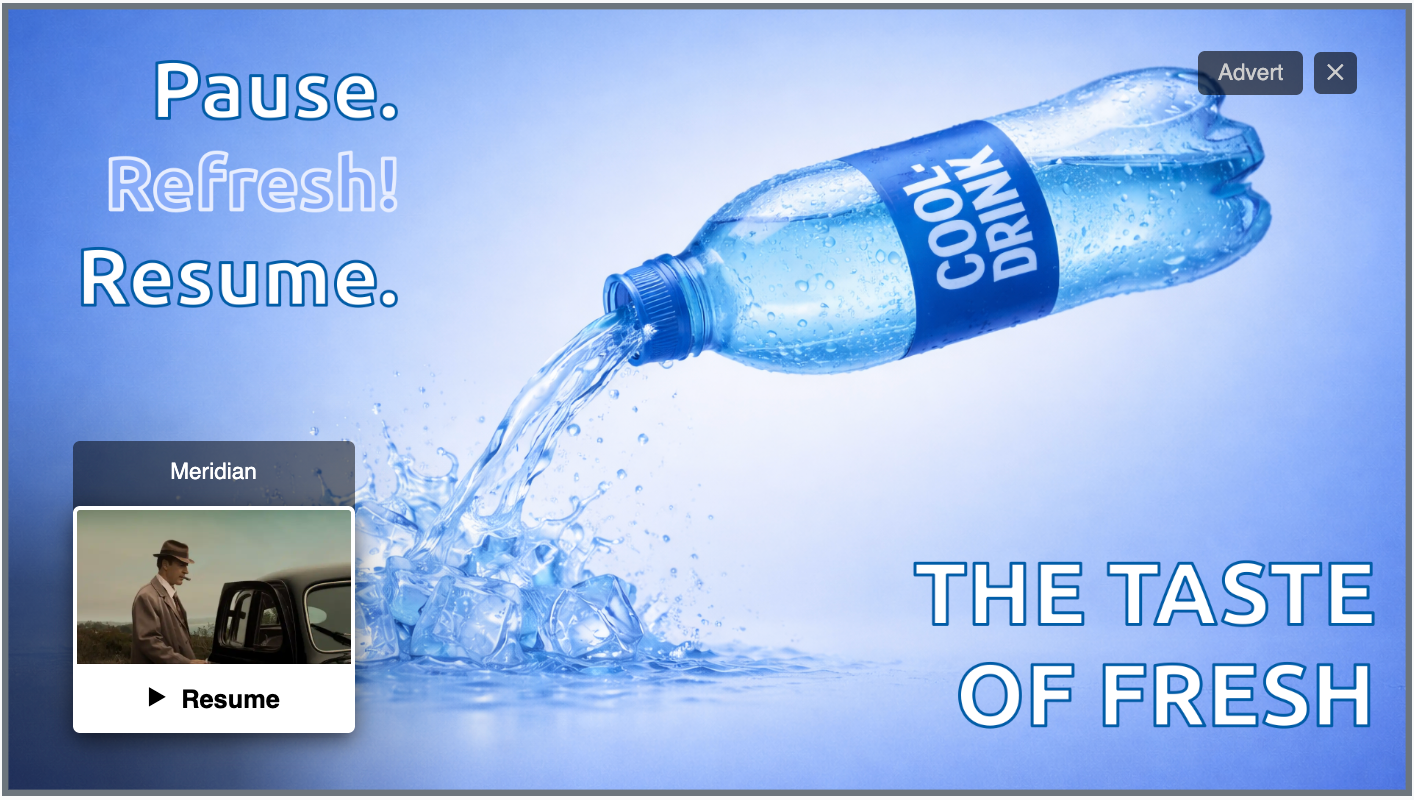
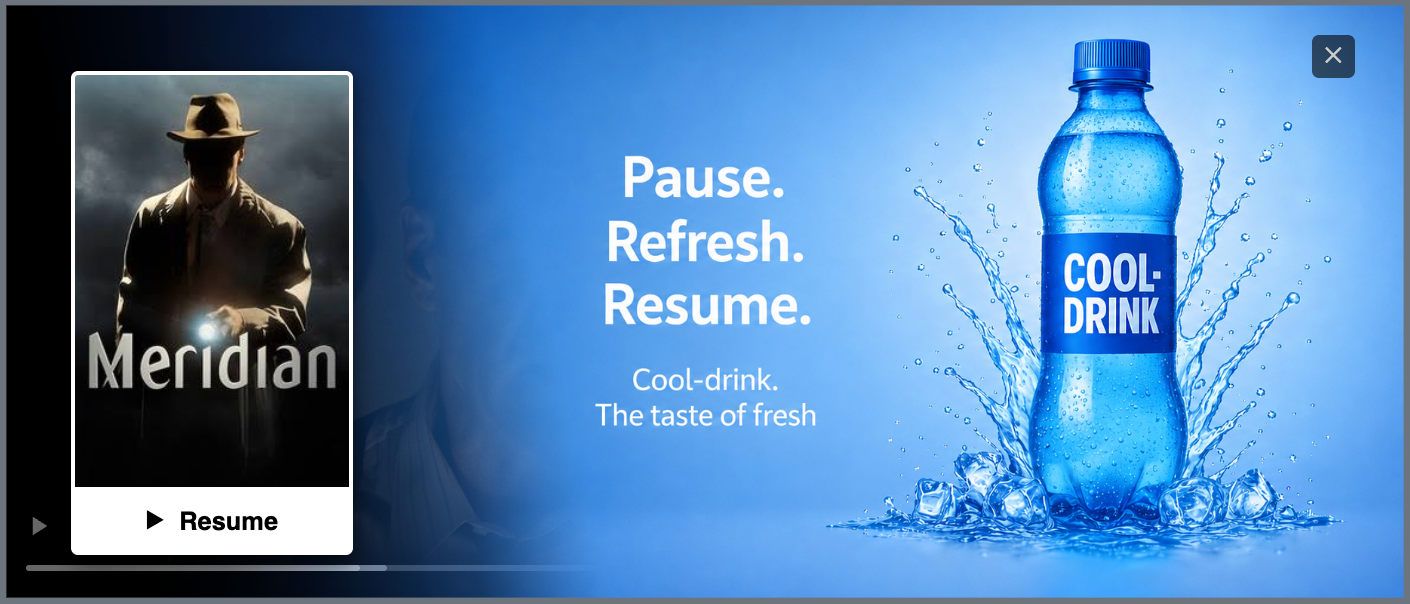
This template is used for pause ads: it shows a full-screen image over the paused video, with a small "continue watching" style card in the bottom-left corner so the viewer can easily resume playback. A close button in the top-right corner lets the viewer skip the ad instead and return to the paused stream.
Ad units
This template is used for pause ads: non-interactive breaks shown when the viewer pauses playback, rather than during a linear ad break. It stays on screen until the viewer either resumes or skips it.
Required parameters
- A background ad image, shown full-screen behind everything else. This is the creative returned by the ad server, and is required. If the image cannot be loaded, the pause ad will not be shown.
Optional parameters
- The URL to an advertiser's landing page, typically returned by the ad server as a click-through URL.
- A card image - a small preview/thumbnail shown inside the resume card. If it isn't provided, the card still appears, just without a picture: only the caption and the resume button. This is typically used to show a poster of the main content being played.
- A few pieces of text, all replaceable with your own wording, or hidden entirely:
- The small "Advert" label in the top-right corner
- The caption above the resume card (defaults to "Now playing", but could be set to the title of the stream)
- The label on the resume button itself (defaults to "Resume")
- A highlight color to indicate what element has focus (for the resume and discard buttons).
It is expected that the ad creative and click-through URL will be provided by the ad server. The other optional information would be injected by the player when the creative is initialized, as described in Metadata injection
Behavior
- The background image always fills the whole ad space, cropped as needed to match whatever shape the video player actually is - it isn't locked to a particular aspect ratio. Typically you want to supply a 16x9 image to match the aspect ratio of the stream, in particular for display on TVs.
- The resume card sits in the bottom-left corner. Its width can be adjusted; everything inside it (the caption, the preview image, and the resume button) scales to match.
- If a card image is unusually tall, its height is capped so the card never grows off the top of the screen - the image is simply cropped to fit rather than being shrunk down to an awkward size.
- When navigating with a TV remote or keyboard, whichever element currently has focus - the resume card or the close button - is clearly highlighted, so it's always obvious what will happen if the viewer presses select. The highlight color can be customized.
- The ad label, close button, and resume card all fade in gently when the ad appears, rather than popping in abruptly.
Interactions
- Clicking or tapping the resume card (or its button) resumes playback.
- Clicking the close button skips the ad.
- Clicking the background image itself can also take the viewer to the advertiser's landing page, on implementations that support it.
Examples
Out of the box, no metadata
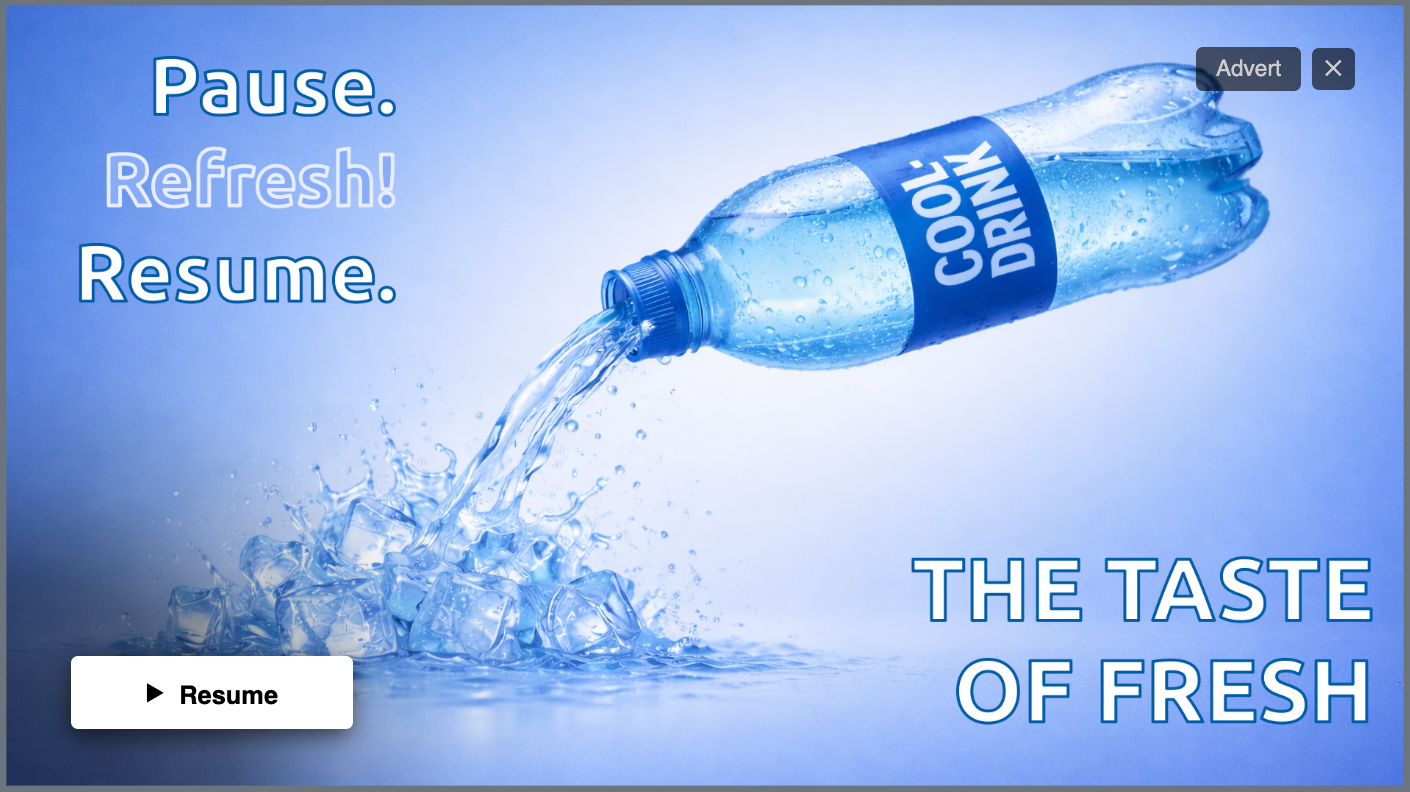
Full-screen ad, with a resume card that only shows the default "Resume" button - no caption, no thumbnail. A label and discard buttons appear in the top right corner.
Content metadata
This example shows how the application can inject additional metadata for showing a thumbnail and title of the main stream, as a floating overlay on top of the ad
{
  "cardImageUrl": "https://example.com/meridian-16x9.jpg",
  "nowPlayingText": "Meridian",
  "resumeText": "Continue",
  "adLabelText": ""
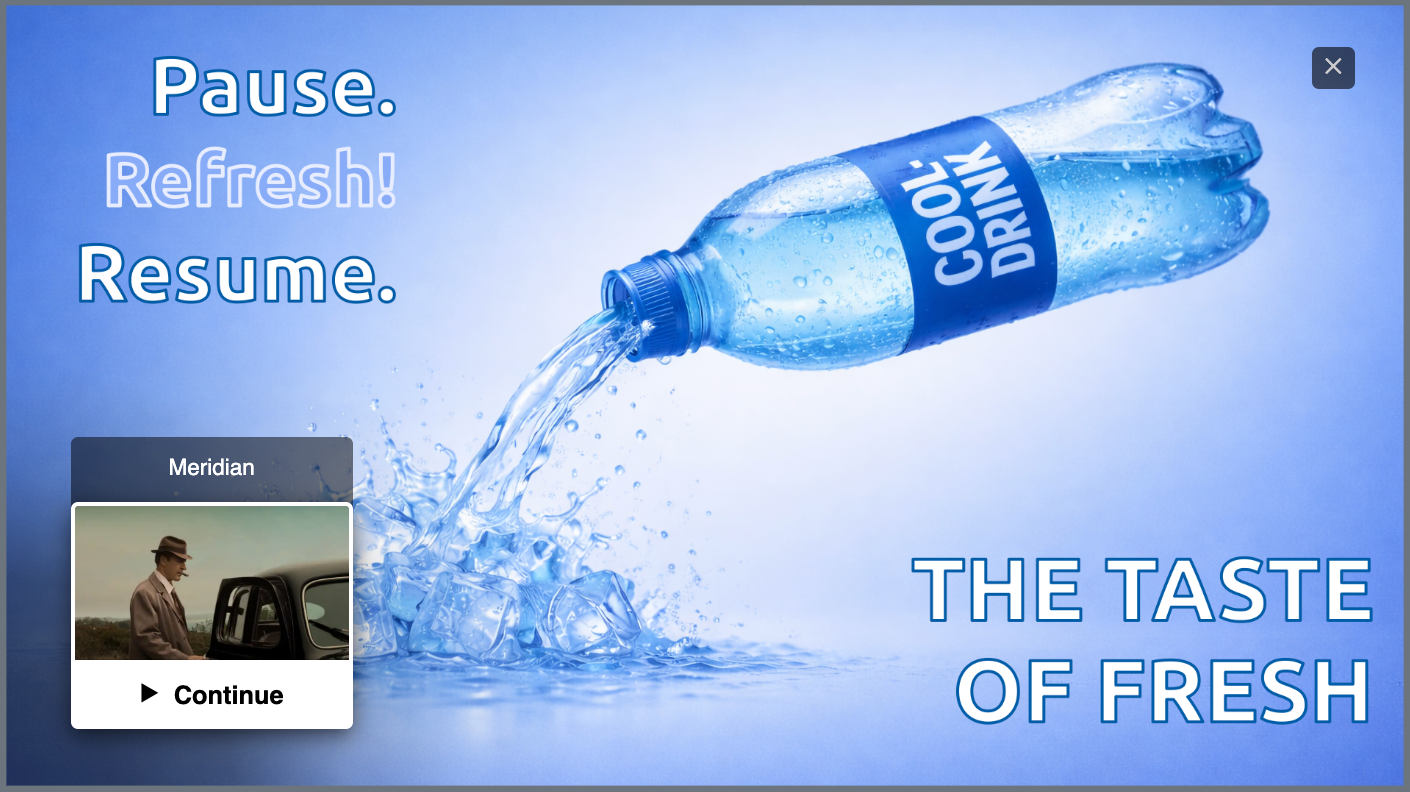
}Result: A full-screen background image, with a resume card showing the preview thumbnail, captioned "Meridian", and a "Continue" button. The "Advert" label is hidden.
Custom colors and wording
The text can naturally also be changed for translations or other purposes. In addition, colors and sizes can be adjusted.
{
  "cardImageUrl": "https://example.com/meridian-poster.jpg",
  "adLabelText": "Publicité",
  "resumeText": "Reprendre",
  "nowPlayingText": "En cours",
  "highlightColor": "#FE9A58",
  "cardWidth": "15%"
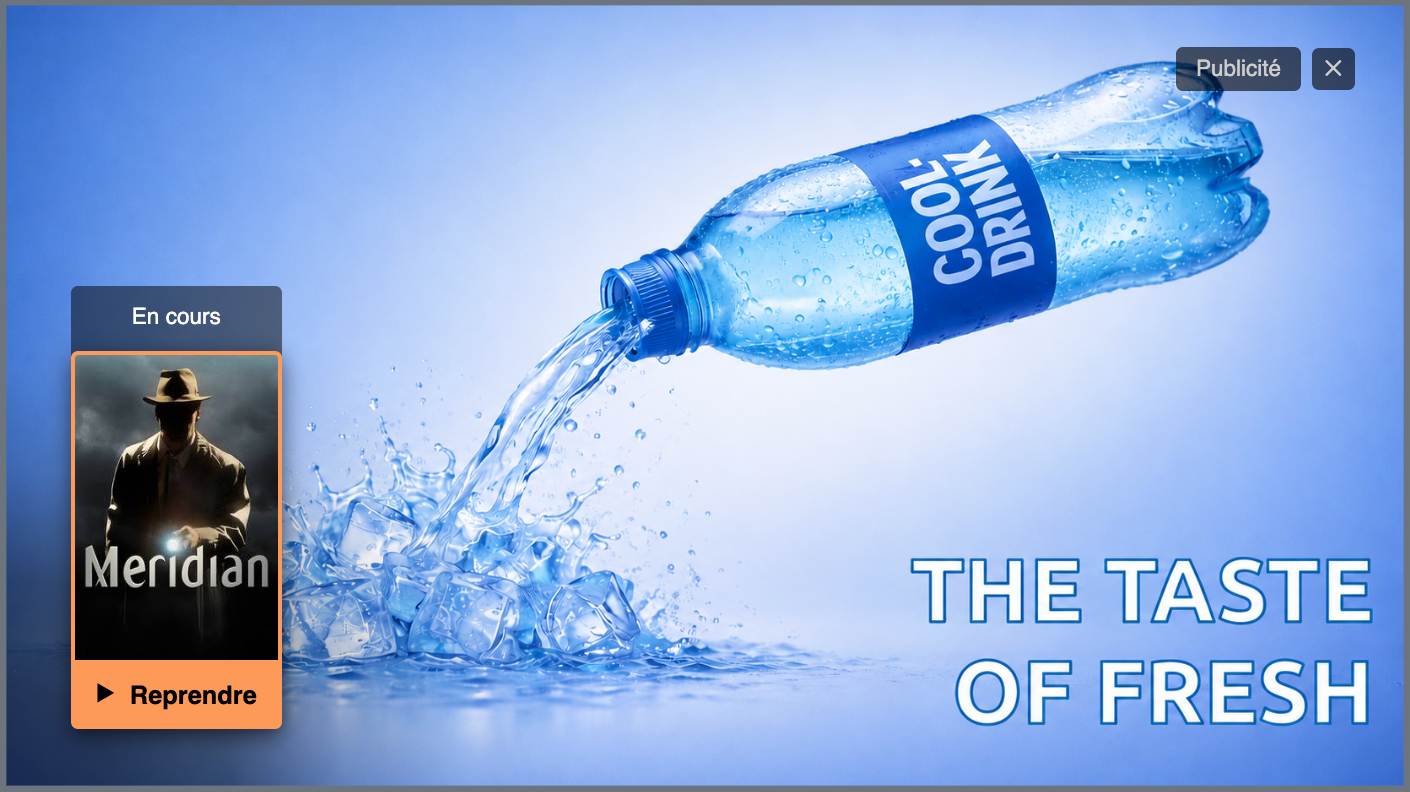
}Result: Narrower card, with poster image, and French wording throughout and an orange highlight for keyboard/remote focus instead of the default white.
Transparency effects
The template does overlay the ad creative image on top of the paused player. If the ad server returns a PNG with transparency, it can be used for effects, such as overlays.
Here for example on a widescreen such as a mobile phone.
Updated 2 months ago